
The SlotsPalace Casino app for mobile devices gives UK players who game on the go a direct way to reach the full casino floor and, importantly, to claim every accessible bonus directly from a smartphone or tablet. It mirrors the desktop feel but adds mobile-specific benefits like push notifications, biometric login, and a touch-friendly design that makes bonus claiming and wagering tracking simple. This article walks you through downloading the app, checking device support, and redeeming bonuses with assurance, all while maintaining your play under regulation.
Decoding App-Specific Bonus Deals at SlotsPalace Casino
Each bonus you can claim on the desktop site is also accessible through the mobile app. The lineup generally includes a welcome package for new players, regular reload bonuses, free spins on featured slots, and the periodic mobile-exclusive deal that only shows up inside the app. To be eligible, UK players need to be at least 18, live in Great Britain, and pass the standard identity check. No bonus gets applied without your say-so; you have to opt in or enter a bonus code during the deposit process.
Inside the app, the Promotions area displays every active offer with a clear summary of the headline benefit, the qualifying deposit amount, and any game restrictions. Tap an offer to expand the full terms: wagering requirements, maximum bet limits while the bonus is active, and the expiry date. The casino doesn’t bury conditions in vague language. For instance, a typical free spins bundle might state that winnings are capped and must be wagered a set number of times on slots before you can withdraw. Reading these details in the app takes seconds and stops misunderstandings later.
A practical point for UK users: some deposit-match bonuses have different minimum deposit thresholds depending on the payment method. An e-wallet deposit might need a lower minimum than a debit card deposit, or the other way round. The app’s cashier screen highlights these differences before you complete the transaction. If you prefer PayPal, Skrill, or Neteller, you can quickly check whether your chosen method unlocks the full bonus value. In all cases, bonus funds land in a separate bonus balance, and the app’s real-time balance display clearly separates cash from bonus money.
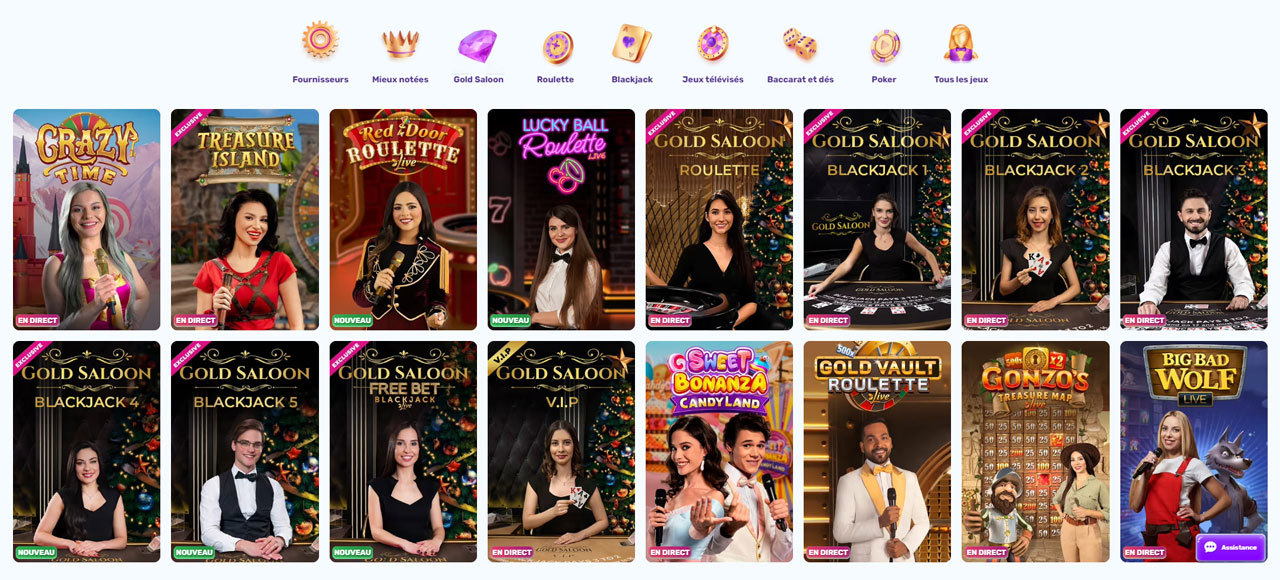
The UK Gambling Commission requires operators to present terms transparently, so SlotsPalace Casino makes sure the app never hides critical info behind multiple menus. The wagering contribution of each game type is shown in the bonus details. Slots usually contribute 100%, while table games and live dealer titles may contribute a lower percentage or be excluded entirely. If you mainly play roulette or blackjack, check these contribution rates before opting in, because the app puts that data right under the “Game Weightings” section of each promotion.
Device Support and System Specs for UK Players
iOS Specifications
The SlotsPalace Casino app operates seamlessly on iPhones and iPads running iOS 13.0 or later. That includes everything from the iPhone 6s and iPad Air 2 onward, so most UK players with an Apple device won’t have any trouble installing it. The app is tailored for all screen sizes, from the compact iPhone SE to the larger iPad Pro displays, and it adapts automatically the layout so buttons and menus are simple to press without accidental presses. Face ID and Touch ID are supported for rapid, safe authentication on compatible hardware.
Storage needs are minimal. The initial app download is usually under 60 MB, though the total space used will grow as game assets are cached locally to speed up loading. Make sure you have a minimum of 200 MB of free space for smooth operation and future updates. A stable internet connection over Wi‑Fi, 4G, or 5G is required for real‑money play, but the app handles brief network interruptions gracefully by pausing gameplay rather than forfeiting a round. UK users who travel a lot will value that the app works dependably across all major British mobile networks.
Android Specifications
Android users need a device running version 8.0 (Oreo) or newer, which encompasses popular handsets from Samsung, Google, OnePlus, and Xiaomi that are still widely used across the UK. Because Google Play restricts real‑money gambling apps in many regions, the SlotsPalace Casino app is delivered as an APK file downloaded directly from the casino’s mobile site. That means you need to enable installation from unknown sources in your device settings before you start. The process is straightforward and the download page gives clear, step‑by‑step instructions tailored to different Android skins.
The APK file is compact, usually under 50 MB, and the app doesn’t need high‑end hardware. Mid‑range devices with 3 GB of RAM or more offer a fluid experience, and even budget phones from the last three years can run the slot games without noticeable lag. As with iOS, a reliable internet connection is vital. The app is engineered to minimise data consumption during long sessions, and you can monitor data usage through your device’s built‑in tools. Any necessary updates come through the app itself, so you never need to revisit the website to download a new APK.
Speed, Bandwidth, and Mobile-Optimised Functions
Data Usage and Loading Times
The SlotsPalace Casino app is built to ensure data consumption minimal without compromising visual quality. Slot games utilize compressed image assets and optimized code that retrieves only the components needed for the ongoing spin. On a typical 4G connection, a popular video slot loads in under ten seconds, and subsequent spins require only a few kilobytes of data each. If you track your mobile data allowance, you can expect an hour of uninterrupted slot play to consume roughly 10–15 MB, though the precise figure changes by game and provider. Live dealer streams naturally use more data, comparable to watching a standard‑definition video.
The app stores frequently played games on your device so revisiting to a preferred title is nearly instant. You can delete this cache from the app’s settings menu if storage space gets tight, and the app will fetch again the assets on the following launch. Updates to the app itself are provided incrementally, ensuring you only retrieve the modified components rather than the whole package each time. The casino’s servers utilize a content delivery network, which lowers latency for UK players regardless of they’re in London, Manchester, or a rural area with a poorer signal.
Application Ease-of-Use Features
Beyond raw performance, the app includes several tools that make daily play more convenient. Biometric login via fingerprint or facial recognition lets you access your account in under a second, skipping the password entry on a small keyboard. A smart search bar at the top of the game lobby matches partial titles, provider names, or game categories, so searching for a specific slot takes only a few keystrokes. You can also create a favourites list by tapping a heart icon on any game tile, building a custom shortcut collection on the home screen.
The cashier has been redesigned for one‑handed use, with large buttons for deposit and withdrawal and a clear display of available payment methods. You can use debit cards, PayPal, Skrill, Neteller, and bank transfers, among others, and the app remembers your last used method to speed up repeat transactions. A dedicated transaction history screen shows every deposit, withdrawal, and bonus credit with timestamps, making it easy to track spending. Push notifications can be fine‑tuned so you receive alerts only for new promotions, big wins, or account updates, keeping distractions to a minimum.
Detailed Guide to Downloading and Setting Up the App in the UK
Installing on Android
Commence by opening your mobile browser and going to the official SlotsPalace Casino website. The site automatically detects your device and presents a visible “Download App” banner on the homepage. Tap that banner to get to a dedicated download page where a large button starts the APK download. The file is kept safely on the casino’s own servers, and the download page confirms the file size and latest version number so you know you’re receiving the genuine application.
Once the APK file completes downloading, a notification shows up in the status bar. Tap it to start the installer, but if your device has never loaded apps from outside the Play Store, a security prompt will stop the installation. You’ll need to go to Settings, then Security or Apps, and enable “Install unknown apps” for the browser you used. After granting that permission, go back to the APK file and click it again to run the standard Android installer. The whole process generally needs less than two minutes, and the app icon is visible on the home screen right after installation.
You can cancel the permission to install unknown apps later without impacting the installed casino app. The SlotsPalace app by itself doesn’t ask for unnecessary device permissions; it only needs access to notifications so it can notify you about new bonuses and important account updates. If you’re concerned about security, you can verify that the APK is digitally signed by the operator, a detail evident in the Android package installer before you confirm the installation.
Obtaining on iOS
For iPhone and iPad users, the route is even simpler. Tap the “iOS Download” button on the SlotsPalace mobile site and you’re taken straight to the App Store listing. Because Apple allows licensed gambling apps in the UK App Store, there’s no need to adjust any device settings or trust enterprise certificates. You download the app just like any other, using Face ID, Touch ID, or your Apple ID password to authorise the installation. The App Store listing shows the current version number and developer name, so you know exactly what you’re getting.
After the download finishes, the SlotsPalace Casino icon appears on your home screen. The first launch displays a brief onboarding sequence that describes how to enable notifications and, if your device is compatible, how to set up biometric login. The app won’t ask for payment details at this stage; registration or login takes place inside the app. If you already have an account, you can log on with your existing credentials. New players can finish the registration form directly in the app. The whole process, from tapping the download link to placing a first bet, can be carried out in under five minutes on a fast connection.
Managing the Mobile Bonus Redemption Process
Activating a Registration Bonus
New UK players who sign up through the app are guided through the welcome offer selection as part of the sign‑up flow. After you provide your personal details and choose a username and password, the app shows the available welcome package. You can see a concise summary of the match percentage, maximum bonus amount, and any free spins included. A single tap on “Claim” confirms your choice, and the bonus is attached to your account straight away. You don’t need to keep track of a bonus code at this stage, because the app automatically applies the correct promotion to your first qualifying deposit.
When you submit that first deposit, the cashier screen shows a clear breakdown of how much you need to transfer to unlock the full bonus. For example, if the welcome offer is a 100% match up to a certain amount, the app calculates the exact deposit that maximizes the bonus value. You can choose to deposit less and still get a proportional match, and the app updates the projected bonus amount in real time. After the transaction completes, the bonus funds are credited in your bonus balance within seconds, and any free spins are credited to the specified slot game, and a single tap opens it.
Claiming Ongoing Promotions
Existing players access all other promotions through the “Promotions” tab in the app’s bottom navigation bar. This screen displays active reload bonuses, cashback offers, slot tournaments, and any limited‑time events. Each promotion card shows the key headline and a “Claim” or “Opt In” button. Tapping the button either triggers the offer immediately or, if a deposit is required, directs you to the cashier with the relevant bonus code pre‑filled. The app never makes you to hunt for a code in a separate email or text message, though you can still input codes manually if you wish.
The “My Bonuses” section, available from the account menu, gives a real‑time overview of every active bonus. It indicates the remaining wagering requirement as a progress bar, the games that contribute towards it, and the exact date and time when the bonus will expire. This transparency assists you organise your sessions and avoid losing bonus funds because of an overlooked deadline. If you have multiple bonuses active, the app stacks them in the order they must be wagered, ensuring the oldest bonus is cleared first, in line with the casino’s terms.
Core Variations Separating the App from the Desktop Site
Interface and Navigation
The most apparent distinction lies in the layout. The desktop site uses a full sidebar menu and a wider game grid that benefits from a large monitor. The app compresses navigation into a bottom tab bar featuring five icons: Home, Casino, Live Casino, Promotions, and Account. This design keeps every major section within thumb reach and eliminates the need to scroll back to the top to switch areas. Game icons are somewhat larger on a phone display to ensure accurate taps, and the lobby can be filtered by provider or category with a horizontal scroll bar that feels seamless on a touchscreen.
A further functional difference is how the app manages multi‑table gaming or live casino lobbies. On the desktop version, you can open multiple browser tabs to view various live dealer tables at once. The app focuses on one table at a time, which suits the mobile context but means players who enjoy multi‑tabling will prefer the desktop version for that specific activity. For slot play, the app experience is arguably more advantageous as the whole screen is used for the reels, and the spin button is located precisely where your thumb lands.
Bonus Notifications and Access
Bonus claiming is where the app maintains a clear edge. Desktop users must either check the promotions page manually or use email, which can be late or go to a spam folder. The app can trigger an instant push notification the instant a new reload bonus or free spins offer launches, and tapping that notification displays the exact promotion screen. This real‑time alert system ensures UK players who maintain notifications enabled are far less likely to skip a time‑sensitive deal, like a weekend cashback event that runs for only 48 hours.
The app also streamlines bonus code entry. On desktop, SlotsPalace app for mobile, you may copy a code from an email and paste it into a deposit form. Inside the app, many promotions offer a “Claim & Deposit” button that pre‑fills the code and directs you straight to the cashier with the minimum qualifying amount already set. This reduces the chance of messing up a code or accidentally putting in an amount that doesn’t trigger the bonus. The “My Bonuses” dashboard is identical in both environments, but the app’s progress bar feels more immediate because it refreshes after every spin without a page refresh.
Game Library and Payment Methods
SlotsPalace Casino collaborates with a extensive range of software providers, and the vast majority of their HTML5 games are playable on both desktop and mobile. A limited number of legacy titles built in Flash are desktop‑only, but these are increasingly rare and are plainly labelled in the lobby. The app’s game library is curated to exclude titles that don’t perform well on touchscreens, so you will not find a slot that demands a keyboard or mouse to operate. Live dealer games from Evolution and Pragmatic Play are reddit.com completely optimised for mobile, with a portrait mode that places the video feed at the top and betting options at the bottom.
Payment methods are uniform across platforms, but the app can leverage mobile‑specific integrations. For instance, Apple Pay may appear as a deposit option for iOS users who have it set up, while Google Pay can ease deposits on Android. These methods use biometric authentication to authorize the transaction, offering a layer of security and speed. Withdrawals are handled through the same back‑end system irrespective of the device used, so the pending time and verification requirements stay consistent. The app facilitates to initiate a withdrawal from anywhere, like while commuting or waiting in a queue.
Responsible Gambling Tools and Account Settings on the App
The SlotsPalace Casino app places responsible gambling controls in places where UK players can locate them in seconds. From the Account menu, a dedicated “Responsible Gaming” section gives direct access to deposit limits, loss limits, and session time reminders. You can establish a daily, weekly, or monthly deposit cap, and any decrease becomes active immediately, while increases are subject goal.com to a 24‑hour cooling‑off period as required by UK regulations. The app also features reality checks that pause gameplay at chosen intervals and display the session duration and net position, providing you with a clear moment to choose whether to continue.
Time‑out and self‑exclusion options are similarly easy. A short time‑out of 24 hours to six weeks can be enabled with a few taps, and the app will prevent access until the chosen period ends. For longer breaks, the self‑exclusion tool links directly to the GamStop national self‑exclusion scheme, and the app offers the necessary information to register. The transaction history screen shows every deposit, withdrawal, and bonus credit in a filterable list, so you can check your spending patterns without needing to contact customer support. Links to GamCare and other support organisations are constantly displayed at the bottom of the Responsible Gaming page.
These controls aren’t hidden away in a submenu; they’re part of the identical account area that you handle your profile data and payment options. This design decision reflects the operator’s commitment to keep safer gambling tools prominent. Crucially, establishing a deposit limit won’t hinder you from claiming bonuses, but it does cap the sum you can put in to qualify for a match offer. The app’s cashier screen adheres to the active limit and won’t allow a deposit that goes over it, regardless of whether a larger deposit would trigger a higher bonus tier. This emphasises the concept that player protection always comes first over promotional incentives.
Activating bonuses through the SlotsPalace Casino app offers swiftness, openness, and full control over your own limits. From the instant you install the application and finish the quick installation, every phase of the bonus journey, from signing up and depositing to monitoring wagering progress and withdrawing winnings, is crafted to be intuitive and clearly presented. By placing responsible gambling tools prominent, the app guarantees that the excitement of a well‑timed bonus never compromises safe play.
Leave a Reply